Convenience-store systems

You have a line at the counter. This is not the time to search for a manager rule or wonder whether the terminal will finish the sale.

We test the mixed basket, item prompts, tender exception and shift close together—without assuming the systems you depend on can simply be replaced.

1-800-818-0420·info@dataonems.com

Independent convenience store with active checkout and inventory work.
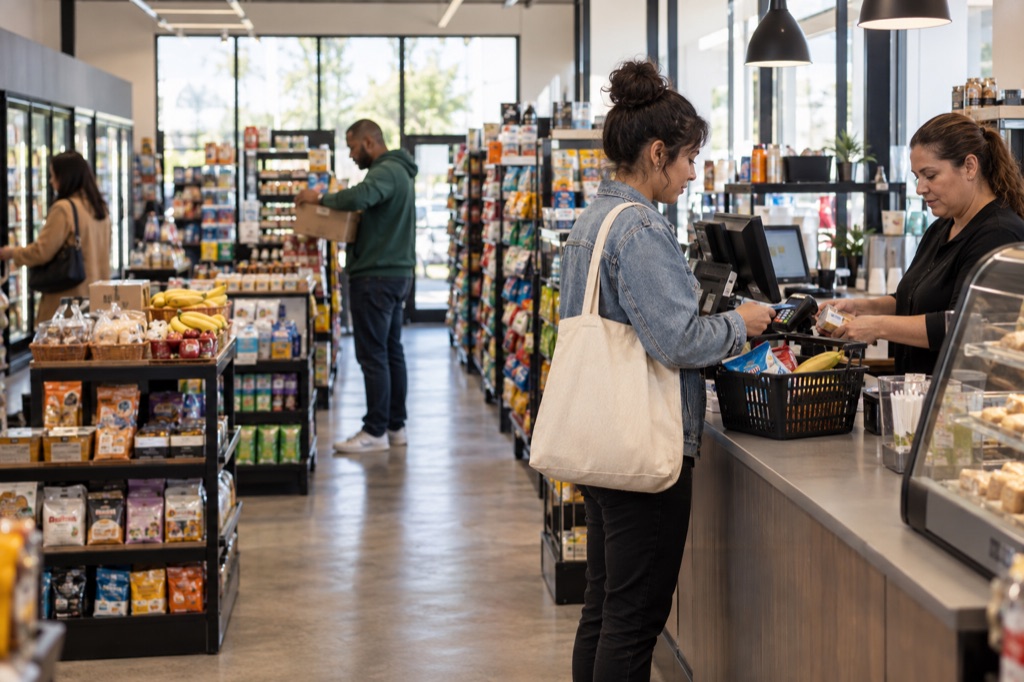
DATAONE / CONVENIENCE STORESAI-generated illustration · not a customer or confirmed configuration.

THE BUSIEST BASKET

The cashier can move quickly only when the item, rule and payment path are already clear.

Receiving, pricing, permissions, tender and closeout need to support the counter without turning each exception into a new decision.

MIXED BASKETFast sale + awkward exception

Mixed basket

Item identity

Store rule

Prompt or permission

Loyalty

Customer match

Tender

Payment path

Shift record

Exception captured

STORE WORKFLOWS

Your store type changes what “fast checkout” really means.

A neighborhood counter, regulated specialty store and multi-location operation need different item controls, permissions and reporting.

Neighborhood convenience operating scene
AI-generated illustration · not a customer or confirmed configuration.
STORE MODEL

Neighborhood convenience

Keep the basket moving while replenishment and high-SKU counts stay understandable.

  • Receiving and shelf work
  • Basket speed
  • Shift accountability
Liquor & regulated specialty operating scene
AI-generated illustration · not a customer or confirmed configuration.
LOCATION MODEL

Liquor & regulated specialty

Build item rules and manager assistance into the operating review without making compliance promises.

  • Case and bottle inventory
  • Role-based exceptions
  • Tender verification
Multi-location convenience operating scene
AI-generated illustration · not a customer or confirmed configuration.
CHANNEL MODEL

Multi-location convenience

Share product and pricing controls while preserving local counts and cashier accountability.

  • Shared catalog
  • Location inventory
  • Register and shift control

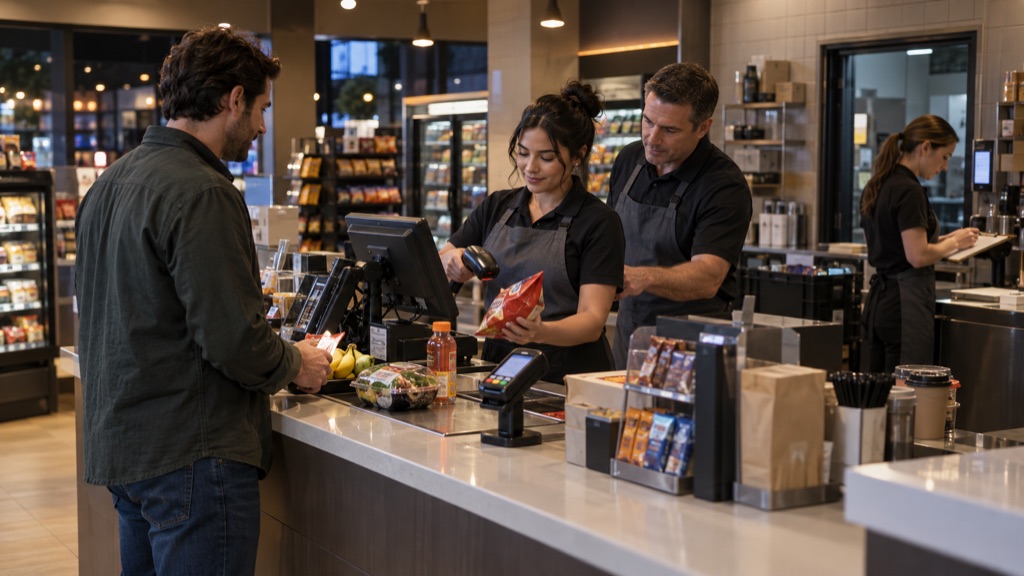
LANE CONTROL BOARD

A difficult transaction needs a clear next step before the line starts growing.

The cashier should know when to continue, when to ask for help and where the exception appears at shift close.
LIVE LANESale in progressThe cashier should know the next supported action.
ITEM FILEPrice · rules · count
CASHIER ROLEPermission · handoff
TENDERApproval · correction
SHIFT CLOSEExceptions · settlement
Convenience-store cashier handling an exception during an active shift
AI-generated illustration · not a customer or confirmed configuration.

THE EXCEPTION-READY LANE

Test the transaction that normally makes the cashier call across the store.

Combine a promotion, restricted-item prompt, refund or tender problem with a real line and confirm what the cashier, manager and closing report each see.

ITEM READBasket keeps moving
RULE FOUNDPrompt is specific
RIGHT HELPManager path is clear
TENDER RESOLVEDCustomer gets an answer
SHIFT RECORDException survives close
USEFUL WHEN

Restricted-item prompts, promotions, refunds, role-based approvals and high-pressure mixed baskets.

VERIFY FIRST

Cashier roles, prompts, evidence, outage behavior, reporting and applicable provider or jurisdiction rules.

DO NOT ASSUME

A feature label proves compliance, specialized-tender support or fuel and forecourt compatibility.

THREE SIGNALS TO INVESTIGATE

The customer leaves, but the exception follows your team into closeout.

Item rules, inventory changes and tender corrections should not disappear between the register, settlement and store report.

ITEMHOLDManager path unclear

Rule interruption

An item, promotion or exception repeatedly stops the cashier and requires manager reconstruction.

Trace the item rule
RECEIVED48SOLD43Count requires review

Inventory drift

Receiving, shelf quantity and sold inventory no longer agree.

Rebuild the inventory movement
REGISTER✓SETTLEMENT?Exception missing

Shift ambiguity

Register exceptions disappear between the shift report, settlement and accounting record.

Match the exception to close

PLATFORM EVIDENCE

Test each platform during a difficult shift—not a clean demo.

Compare the same basket, exception and shift close. A feature list is not the test.
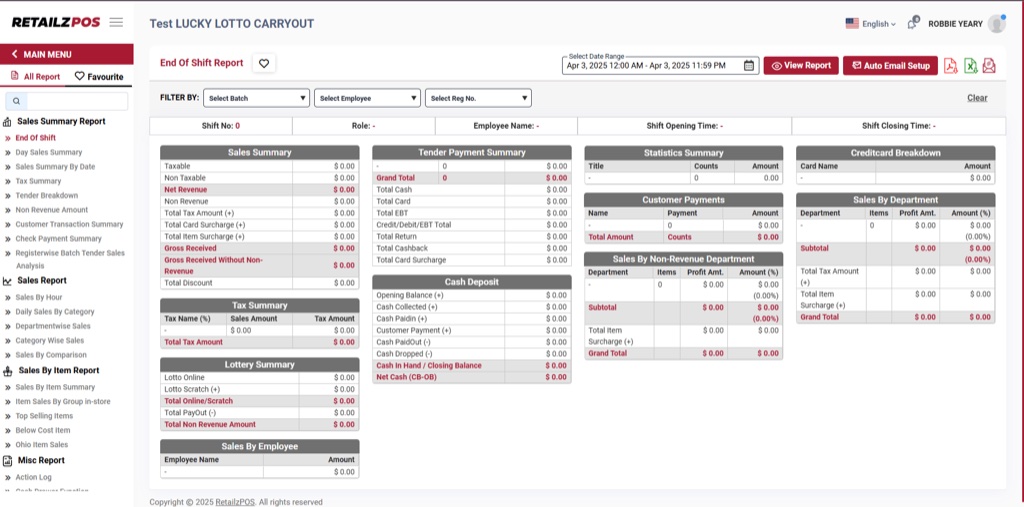
Official RetailzPOS end-of-shift reporting screen
RetailzPOS end-of-shift reporting screen

Convenience & specialty formats

RetailzPOS

Evaluate the selected convenience or liquor configuration across counter speed, inventory and supported hardware.

BRING
One busy basket
PROVE
One awkward exception
MATCH
Register to shift close

Exact product, configuration, availability and integrations still require verification.
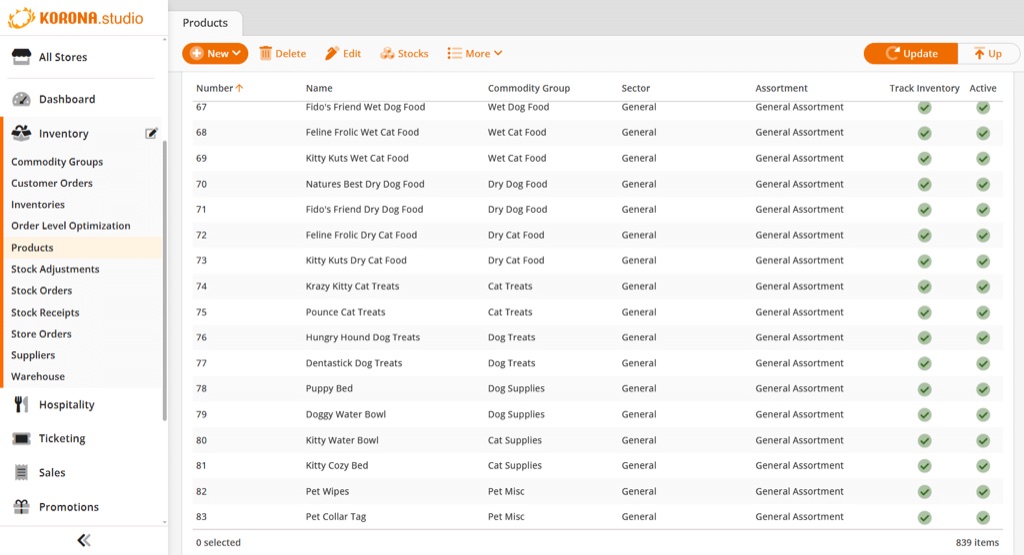
Official KORONA Studio product and inventory screen
KORONA POS product and inventory screen

High-SKU & location control

KORONA POS

Evaluate high-SKU inventory, replenishment, cashier permissions and location control through one representative shift.

BRING
One busy basket
PROVE
One awkward exception
MATCH
Register to shift close

Exact product, configuration, availability and integrations still require verification.

Product imagery is used with permission. Product availability, editions and configuration vary.

BRING THE SHIFT, NOT THE SALES PITCH

Start with the mixed basket that slows the lane—and the shift report that follows it.

We keep the review direct: what stays, what must be verified and whether the smallest change can solve the problem without risking a critical tender or store function.

THE BASKETFast items + exception

The busiest basket, one exception and the shift-close report.

THE DECISIONPrompt + manager path

Identify who owns items, prices, permissions, loyalty, payment and reporting.

THE RECORDCorrection + refund

Test equipment, manager paths, outages and any specialized store requirements.

THE CLOSEShift + settlement

Separate the lane improvement from fuel, forecourt or other systems needing their own review.

THE OUTPUT

A lane direction showing what can stay, what must be verified and whether a prompt, device or closing step should change first.

No compliance, compatibility or outcome is promised before verification.

QUESTIONS TO RESOLVE

Six convenience-store questions to resolve before rollout.

Direct answers to the questions that should be settled before equipment, software or payment decisions are finalized.

Can we keep our current store system or loyalty program?
Possibly. Identify which system owns items, prices, loyalty and reporting before changing the payment path. Enrollment, earning, redemption and outage behavior should be tested end to end.
How should we compare convenience-store operating platforms?
Run the same high-pressure lane and shift-close scenario through every candidate. Store type, product availability, supported hardware and exact configuration still require verification.
Can we reuse our current scanners, printers and counter equipment?
Possibly, but device reuse depends on exact models, ownership, certification, software and provider rules. Fuel and forecourt equipment requires separate controller and configuration confirmation.
How are restricted items, manager overrides and specialized tenders handled?
The workflow under review should define prompts, roles, evidence and exception reporting for the applicable business and jurisdiction. No general feature label proves that a specific regulated or benefit-program workflow is supported.
What should we test before rollout?
Use a representative mixed basket, item exception, promotion, manager override, refund, outage scenario and full shift close. Compare the register record with settlement and accounting afterward.
How should we compare total cost and rollout?
Include processing, software, devices, scanning and printing equipment, installation, training, support and disruption during cutover. Start with one lane, store or representative shift when a phased test is appropriate.

A clear next step

Show us the transaction that stops the line. We’ll start there.